
Self-Hosted Hytale Server Manager
A Linux server manager tool for Hytale servers that allows you to create, install, update, and delete Hytale servers in a web GUI. Manage your servers with ease through a modern web interface.
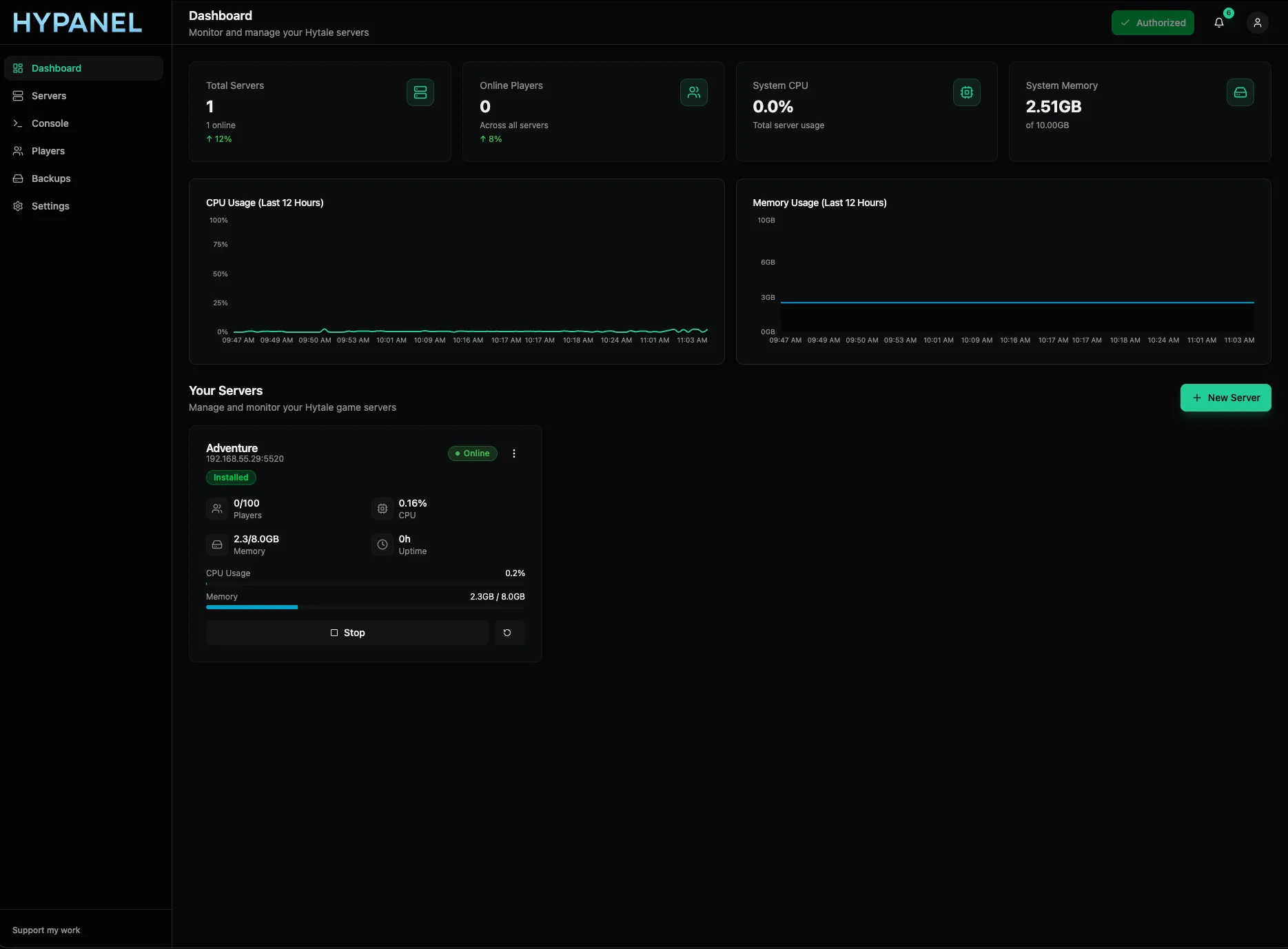
Features
Server Management
Create, install, update, and delete Hytale servers via web GUI
Autostart
Enable automatic server startup on system boot
Player Management
View, kick, opp, or manage whitelist/banlist players
Backup Management
Create and download server backups directly from your browser
Mod Management
Upload, view, and delete mod files through the web interface
Real-time Monitoring
Monitor server resource usage (CPU, memory) in real-time
Console Access
Access and interact with server console logs via WebSocket
Easy Config
Configure server settings without editing files manually
One Click Hytale Auth
Authorize your server with Hytale downloader in a single click
Server Management
Create, install, update, and delete Hytale servers via web GUI
Autostart
Enable automatic server startup on system boot
Player Management
View, kick, opp, or manage whitelist/banlist players
Backup Management
Create and download server backups directly from your browser
Mod Management
Upload, view, and delete mod files through the web interface
Real-time Monitoring
Monitor server resource usage (CPU, memory) in real-time
Console Access
Access and interact with server console logs via WebSocket
Easy Config
Configure server settings without editing files manually
One Click Hytale Downloader Authorization
Authorize your server with Hytale downloader in a single click
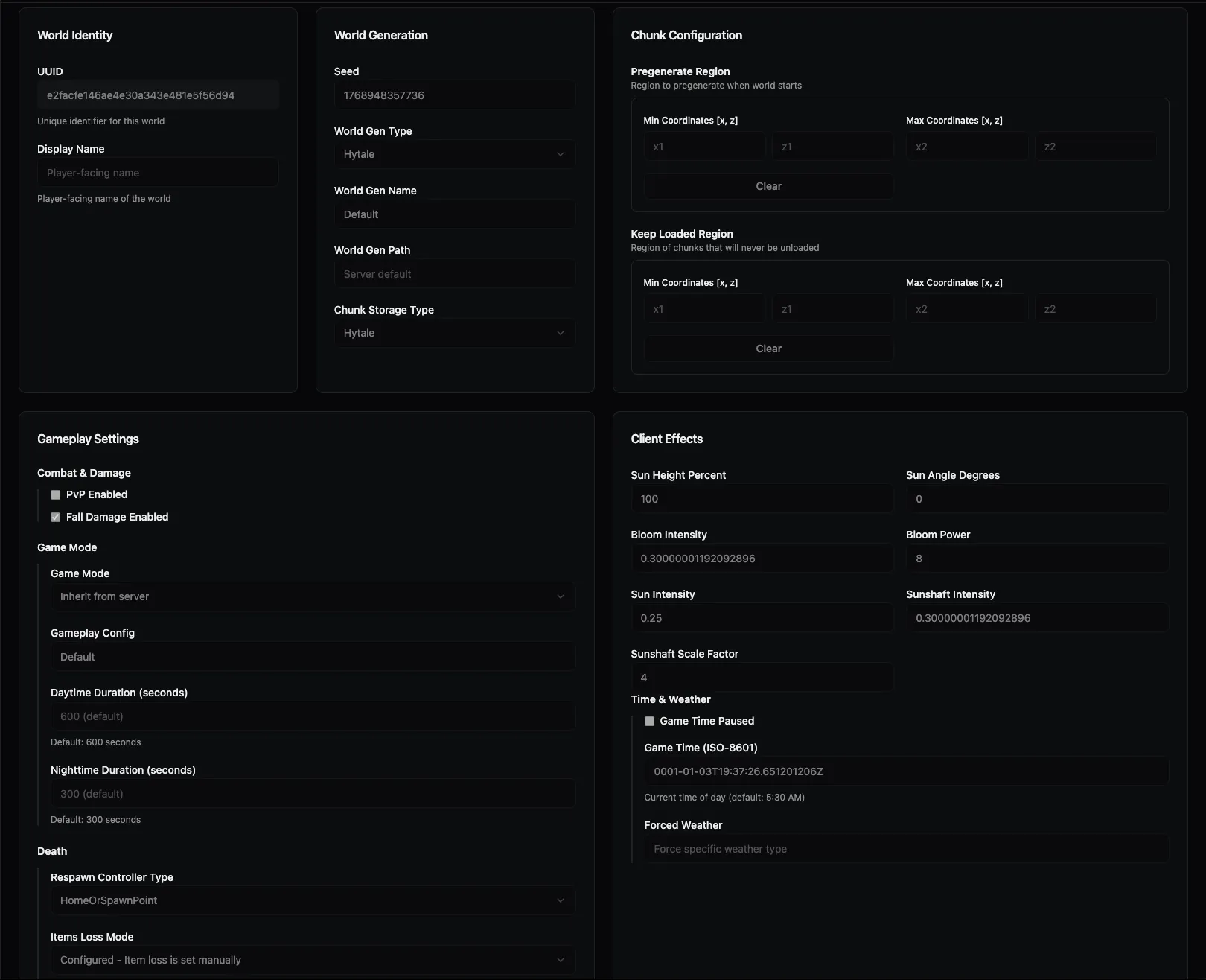
Edit World Settings in an Easy-to-Use Panel
Configure your Hytale server settings with an intuitive web interface. No need to manually edit configuration files - manage world settings, server properties, and game parameters all from one convenient dashboard.
- Visual configuration interface for all server settings
- Real-time validation and error checking
- No command line knowledge required
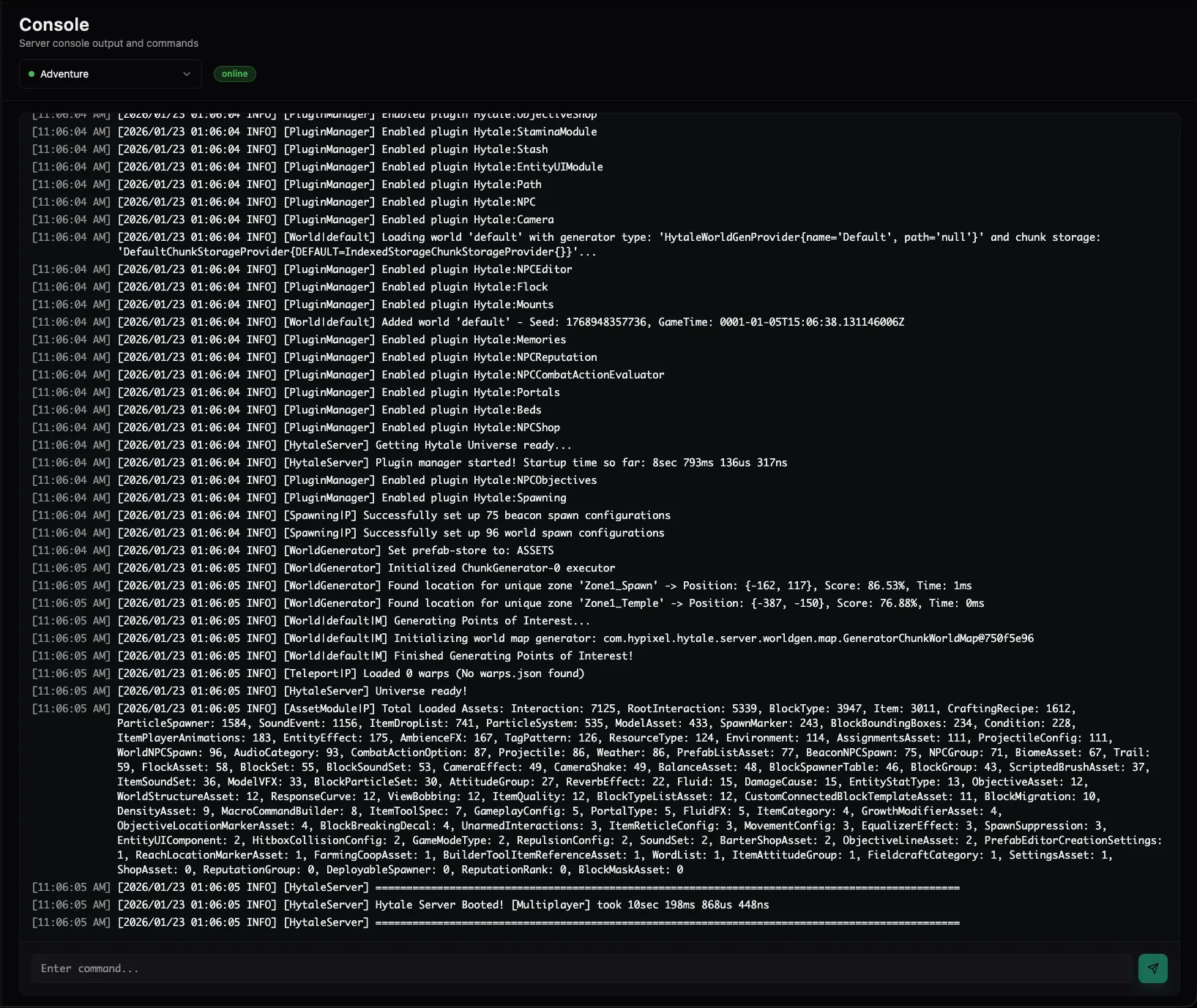
Easily View Logs and Send Console Commands
Access your server console directly from your browser. View real-time logs, monitor server activity, and execute commands without needing SSH access or terminal knowledge.
- Real-time console log streaming via WebSocket
- Send commands directly from the web interface
- Auth your server straight from the web interface
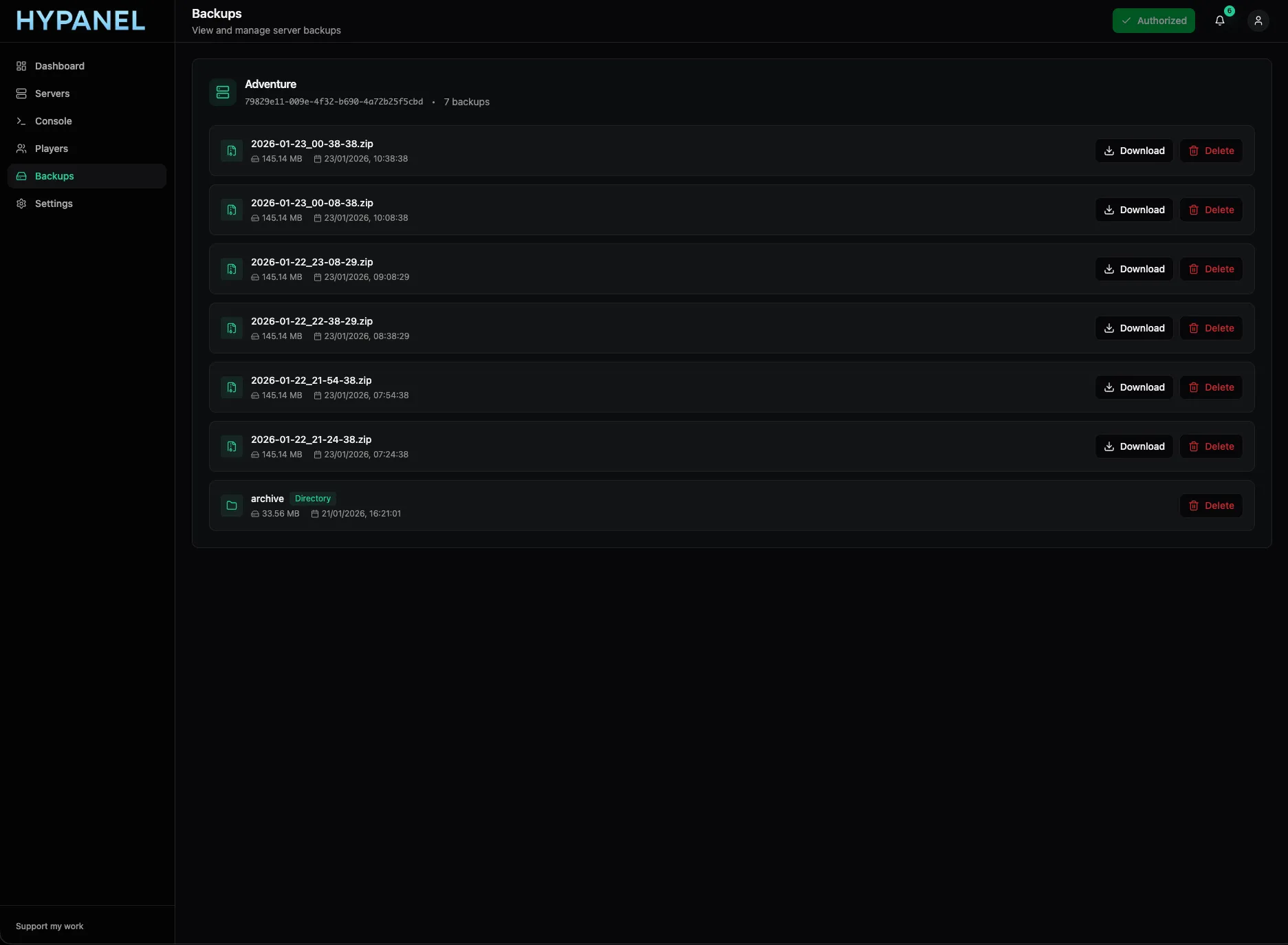
Easily See and Download Backups Right from Your Browser
Manage your server backups effortlessly. Create backups on-demand, view all available backups, and download them directly to your computer - all without leaving your browser.
- Official Hytale backup creation and management used
- Direct browser download of backup files
- View backup details, sizes, and timestamps
Supported Systems
Hypanel is tested and supported on the following Linux distributions: